

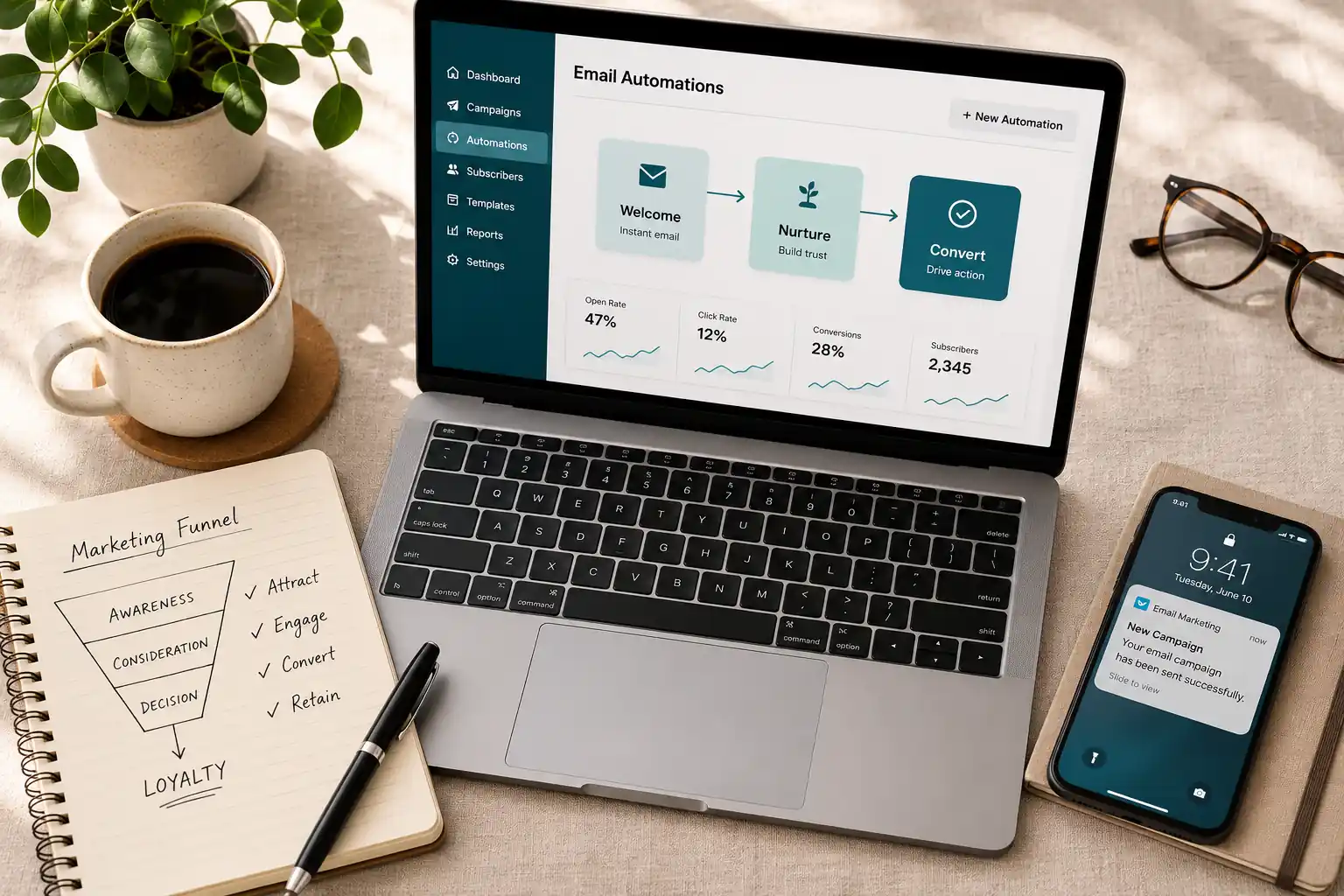
Email marketing automation is one of the highest-ROI activities available to any business with a list. Done well, it runs in the background — nurturing leads, converting customers, re-engaging dormant contacts — while your team focuses on other things.
Done poorly, it’s just spam on a schedule.
This guide covers how to do it well. We’ll explain what email marketing automation actually is, which workflows every business needs running, how to build each one, which platforms to consider, and the mistakes most businesses make that limit their results.
What Is Email Marketing Automation?
Email marketing automation is the use of software to send emails automatically, triggered by specific actions or timing conditions — without manual intervention for each send.
The key distinction from regular email marketing: automation responds to behavior. A standard email blast goes to everyone on your list at a time you choose. An automated email goes to a specific person because of something specific they did — or didn’t do.
Examples:
- Someone signs up → they automatically receive a welcome sequence
- Someone abandons a cart → they receive a reminder 2 hours later
- A contact hasn’t opened an email in 90 days → they enter a re-engagement flow
- A customer makes a purchase → they receive a post-purchase sequence with related recommendations
The goal of all automation is the same: deliver the right message to the right person at the right moment — at scale, without manual effort.
This is why email marketing automation has become essential rather than optional. As lists grow and customer journeys become more complex, manual email sending can’t keep up. Automation is the only way to maintain personalization at scale.
Why Email Marketing Automation Matters in 2026
Several trends have made automation more important in 2026 than it was even two or three years ago.
Rising ad costs. The cost of paid acquisition (Meta, Google, TikTok) has increased significantly — a shift that mirrors the broader tradeoff businesses are weighing between paid and organic channels. Email remains the highest-ROI owned marketing channel — it costs nothing to send to a contact you already have, and automation multiplies that value by engaging them at the right time.
AI-powered personalization. Modern automation platforms now use machine learning to predict the best send time for each individual contact, recommend content based on behavior, and score leads based on engagement signals. Personalization that used to require a developer can now be set up in a few clicks.
Inbox competition. More emails are being sent than ever. Standing out requires relevance — and relevance requires automation. Generic mass emails increasingly get ignored or filtered, the same way undifferentiated content struggles across every other channel. Behavior-triggered automation by definition sends more relevant messages.
First-party data priority. Your email list is your most durable owned asset — and in a landscape where omnichannel marketing increasingly demands consistent, personalized communication across every touchpoint, email is the channel where that personalization is easiest to execute at scale. Unlike social reach or paid placement, your list belongs to you. Automation is how you make it work without a team dedicated to it full-time.
The 5 Email Automation Workflows Every Business Needs
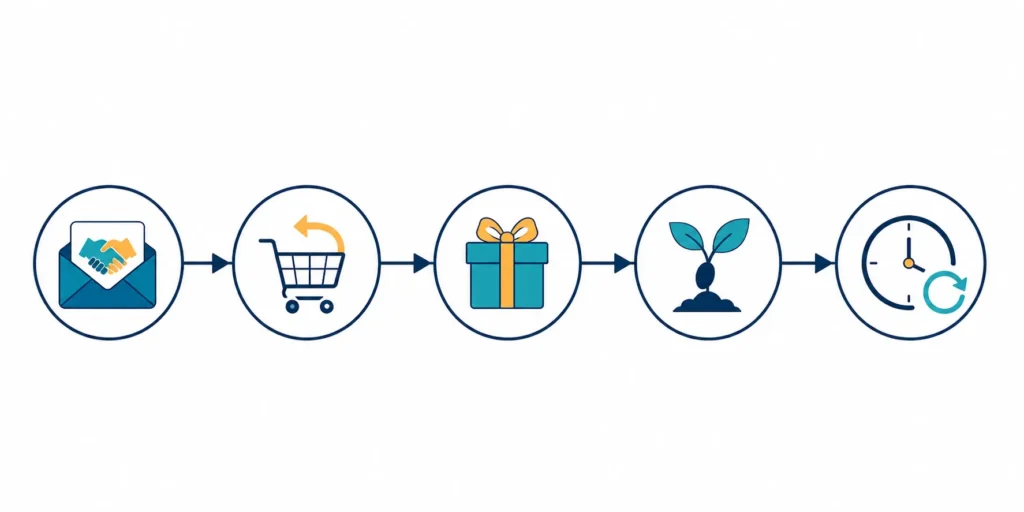
Not all automations are equally valuable. These five should be running for any business that collects email addresses.
1. Welcome Series
Trigger: New subscriber joins your list
The welcome series is the single most important automation any business can build. New subscribers are at peak interest — they just opted in. This is when engagement rates are highest and when you have the best chance to establish a relationship before they go cold.
A good welcome series does three things: confirms the value of subscribing, introduces your brand’s story and positioning, and moves the subscriber toward a first meaningful action (a purchase, a consultation, a piece of content).
Recommended structure:
Email 1 — Immediate (within 5 minutes of signup) Deliver on whatever brought them to your list — the lead magnet, the discount code, the promised resource. Keep it short. One CTA. Make the first impression frictionless.
Email 2 — Day 2 Your story. Who you are, what you do, why you’re different. Not a sales pitch — context. Help them understand what they’ve joined.
Email 3 — Day 4 Your best content or your most popular product/service. Show them what good looks like from you. One clear CTA.
Email 4 — Day 7 A soft ask. This might be a discovery call, a product recommendation, or an invitation to a community or resource. Frame it as useful, not pushy.
Pro tip: Segment from the welcome series based on which emails they open and which CTAs they click — the same behavioral logic used when planning content across a broader calendar applies here. What someone does in the first week tells you more about their intent than almost anything else.
2. Abandoned Cart / Abandoned Inquiry
Trigger: Contact adds item to cart (e-commerce) or starts but doesn’t complete a form or booking (service businesses)
Abandoned cart emails recover revenue that’s already been earned in interest but lost in friction. The conversion rate on well-timed abandoned cart sequences consistently outperforms nearly every other email type.
For service businesses, the equivalent is an abandoned inquiry — someone visited your pricing page, started a contact form, or booked a demo and stopped. The intent signal is strong enough to warrant follow-up.
Recommended structure:
Email 1 — 1–2 hours after abandonment Simple, direct. “You left something behind.” Show the item or service they were considering. Remove friction — direct link back to where they were. No heavy sell.
Email 2 — 24 hours after abandonment Address the most likely objection. Is it price? Add a testimonial or a guarantee. Is it uncertainty about fit? Offer a comparison or FAQ. Is it trust? Show social proof.
Email 3 — 72 hours after abandonment Create a soft reason to act now. This might be a time-limited offer, a note about limited availability, or simply a final “we’re here if you have questions” that closes the loop.
Important: Don’t over-automate this sequence. Three emails is generally the limit before it crosses from helpful follow-up to pressure.
3. Post-Purchase / Onboarding Sequence
Trigger: Purchase completed or new client onboarded
Most businesses focus all their email automation attention on acquisition and ignore what happens after the sale. This is a mistake. The post-purchase period is when customers are most receptive, most emotionally invested, and most open to becoming advocates.
For product businesses, the post-purchase sequence handles confirmation, expectation-setting, product education, and cross-sell.
For service businesses, the onboarding sequence ensures new clients feel confident, reduces early churn, and sets the relationship up for long-term success.
Recommended structure:
Email 1 — Immediate: Confirmation + what to expect. Reassure. Confirm the transaction, set expectations for what happens next, and give them a clear next step.
Email 2 — Day 2–3: Getting the most out of your purchase. For products: usage tips, setup help, or content that maximizes value. For services: introduce the team, explain the process, set the first milestone.
Email 3 — Day 7–10: Check-in. A genuine check-in. Are they getting value? Any questions? This is the email most businesses skip and most customers remember when it arrives.
Email 4 — Day 21–30: Referral or upsell. Once they’ve had time to experience the value, ask for a review or referral, or introduce a relevant next step (an upsell, a complementary product, a premium tier).
4. Lead Nurture Sequence
Trigger: Contact downloads a lead magnet, attends a webinar, or engages with content but hasn’t purchased or inquired
Lead nurture sequences are for the middle of the funnel — people who are interested but not ready yet. The goal is to stay relevant, build trust, and be the first business they think of when they’re finally ready to act.
This is where most B2B email automation lives. Sales cycles can be weeks or months, and nurture sequences bridge the gap between initial interest and purchase decision.
Recommended structure:
Rather than prescribing specific timing, lead nurture sequences should be:
- Value-first. Each email should give something — insight, data, a case study, a tool — not just ask for something.
- Progressive. Early emails address awareness and education. Later emails address evaluation and decision-making. The sequence should move the contact through a journey, not just send the same type of content repeatedly.
- Behavioral. If a contact clicks on a pricing-related email, they should automatically be flagged for sales outreach or entered into a more conversion-focused sequence. If they engage with educational content but nothing commercial, keep them in nurture longer.
A simple 6-email lead nurture structure:
- Deliver the lead magnet + introduce what’s coming
- Core problem your business solves (educational)
- Case study or client story
- Common objection addressed
- How you’re different / your process
- Clear, low-friction CTA (call, demo, consultation)
5. Re-Engagement (Win-Back) Sequence
Trigger: Contact hasn’t opened or clicked any email in 60–90 days
Inactive contacts hurt your deliverability. Internet service providers (ISPs) track engagement signals — lists with large proportions of inactive subscribers get flagged as potential spam senders, which reduces your inbox placement rates for everyone, including your active subscribers.
Re-engagement sequences serve two purposes: they attempt to win back disengaged contacts, and they identify contacts who are genuinely done so you can clean them off your list.
Recommended structure:
Email 1 — “We miss you” (gentle). Acknowledge the silence, remind them of the value they subscribed for, and invite them back with something useful. Low pressure.
Email 2 — “One thing you might have missed.” Your best content or most compelling offer from the period they’ve been inactive. Give them a reason to reengage beyond sentiment.
Email 3 — The “should we say goodbye?” email. This is the most effective email in most re-engagement sequences. Tell them directly that you’ll remove them from the list if they don’t click. This creates a genuine reason to act, and the honesty typically generates higher engagement than the first two emails combined.
After Email 3: Contacts who don’t engage get removed or suppressed. Your list shrinks but your deliverability improves — and your metrics become meaningful again.
Building Your Email Marketing Automation Strategy
Individual workflows are tactics. Strategy is how they fit together.
Map the customer journey first. Before building any automation, map the path a contact takes from first touch to loyal customer. Identify the key moments: first signup, first purchase, first repeat purchase, referral, churn. Each of those moments is a potential automation trigger.
Define your segmentation logic. Automation becomes significantly more powerful when it’s combined with segmentation. Rather than running every contact through the same sequences, route people based on:
- Lead source (organic search vs. paid ad vs. referral) — the same logic that underpins a strong omnichannel segmentation strategy
- Interest signals (which content they engaged with)
- Stage in the funnel (first-time visitor vs. warm lead vs. customer)
- Demographics (business size, role, location — if relevant to your offer)
The more precisely you can segment, the more relevant your automated emails become — and relevance is the single biggest driver of email performance.
Set up behavioral triggers, not just time triggers. Time-based triggers (send after X days) are the simplest to set up but often the least effective. Behavioral triggers (send when someone clicks X, visits Y page, or purchases Z product) are more complex but far more relevant.
Modern automation platforms make behavioral triggers accessible without custom code. Invest the setup time — it pays back in higher open rates and conversions.
Test systematically. Email automation is not a set-it-and-forget-it system. The sequences you build today should be treated as hypotheses. Test subject lines, send times, email length, CTA copy, and offer types. Even small improvements compound significantly when automation is running at scale.
Email Marketing Automation Platforms: Which to Choose
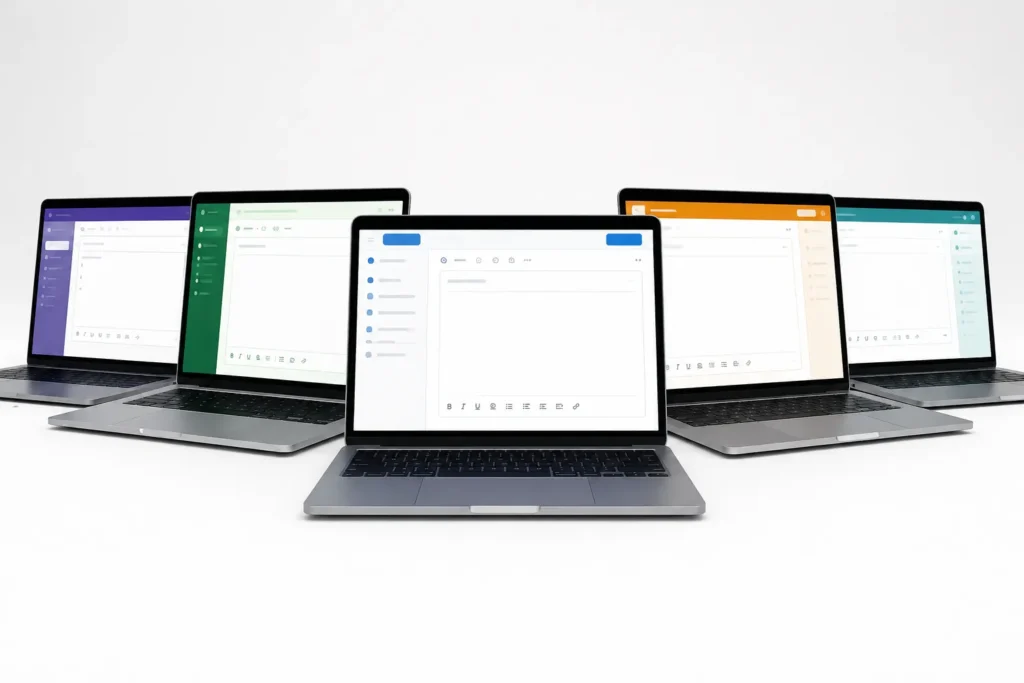
The platform choice depends on your list size, budget, and technical needs. Here’s an honest overview of the main options in 2026.
Klaviyo — Best for: E-commerce Klaviyo has become the default choice for e-commerce brands, particularly those on Shopify. Its deep integration with e-commerce platforms means it can trigger automations based on granular purchase behavior, product views, cart activity, and customer lifetime value segments that other platforms can’t access as easily. The tradeoff: it’s expensive, especially as your list grows. Pricing scales aggressively.
Mailchimp — Best for: Small businesses, simple automations Mailchimp remains one of the most accessible entry points for businesses starting with automation. The interface is intuitive, the template library is extensive, and the free tier is genuinely useful for small lists. Its limitations show as you grow — advanced segmentation, complex behavioral triggers, and CRM-level features require higher-tier plans that become expensive. Klaviyo or ActiveCampaign tend to be better at that stage.
ActiveCampaign — Best for: B2B, service businesses, complex sales cycles ActiveCampaign is the strongest option for businesses with long sales cycles, multiple contact types, and complex automation logic. Its visual automation builder is the most powerful in the mid-market, and the built-in CRM allows sales and marketing to work from the same system. It’s also one of the best platforms for lead scoring — automatically identifying which contacts are most ready to buy based on their engagement behavior.
HubSpot — Best for: Growing businesses that need an integrated marketing and sales platform HubSpot’s strength is consolidation. Email, CRM, landing pages, forms, and reporting all live in one place — which maps well to the kind of CRM funnel approach we advocate for growth-focused businesses. If you’re already thinking about lead scoring, pipeline management, and multi-touch attribution, HubSpot makes the integration between marketing and sales more seamless than running separate tools. The free tier is genuinely capable. Paid plans are expensive, but for businesses that would otherwise be paying for multiple separate tools, the consolidation can justify the cost.
ConvertKit (now Kit) — Best for: Creators, publishers, personal brands Kit (formerly ConvertKit) is built for creators — bloggers, YouTubers, course creators, newsletters — rather than traditional businesses. Its tagging-based segmentation system is elegant, and its focus on subscriber relationships over database management makes it feel different from the enterprise tools. If you’re a solo creator with a list: Kit. If you’re running a business with a team and a sales process: look at ActiveCampaign or HubSpot instead.
Common Email Marketing Automation Mistakes (And How to Avoid Them)
Sending too much, too fast. Welcome sequences that send 7 emails in 7 days train contacts to ignore or unsubscribe. Respect the pace. Give people time to absorb before sending the next message.
Not cleaning your list. Inactive contacts degrade deliverability. Run re-engagement sequences quarterly and remove contacts who don’t respond. A smaller, engaged list outperforms a large, disengaged one in every metric.
Over-automating tone. Automated emails can feel robotic when they rely on merge tags and templated language. Write emails that sound like a real person sent them — because in most cases, they still represent a person.
Ignoring mobile. Over 60% of emails are opened on mobile — a reality that echoes the mobile conversion challenges businesses face across every digital touchpoint. Subject lines get cut off at around 40 characters on most phones. Preview text matters. Layouts that require horizontal scrolling destroy engagement. Test every automation on mobile before activating.
No plain-text version. Some email clients and spam filters treat HTML-only emails with more suspicion. Always set up a plain-text version. Many platforms do this automatically, but check.
Not monitoring deliverability. Open rates and click rates are the metrics most people watch. Deliverability — what percentage of your emails actually reach the inbox — is the metric that determines whether any of that matters. Check your spam complaint rate, bounce rate, and sender reputation at least monthly.
Building automations without a clear goal. Every automation should have a defined objective and a measurable metric. What does success look like for this sequence? What open rate, click rate, or conversion rate would justify its existence? Without this, you have no way to know whether to iterate or abandon a workflow.
How to Set Up Email Marketing Automation: Getting Started
If you’re starting from scratch, here’s the simplest path forward.
- Choose your platform. Based on the overview above, pick a platform that fits your business size, list size, and budget. Don’t over-engineer this decision — you can migrate later. The best platform is the one you’ll actually use.
- Import or build your list. Ensure your list is clean (no hard bounces, no purchased emails), properly consented, and segmented at least by lead source.
- Set up the welcome series first. This is always the highest-impact automation to build first. New subscribers are most engaged, and you have the most to gain by getting the first impression right.
- Add abandoned cart or lead follow-up. These sequences recover revenue that’s otherwise being lost. High ROI, relatively simple to set up.
- Build the post-purchase sequence. Protect the customers you’ve already won.
- Add lead nurture and re-engagement. These can come later. Get the foundational three running first.
- Monitor, test, iterate. Check results monthly. Find your worst-performing automation, identify the weakest point (usually the subject line or the CTA), test an alternative, and improve.
Frequently Asked Questions
What is email marketing automation? Email marketing automation is the use of software to send emails automatically based on triggers — specific actions contacts take, or timing conditions you define. Instead of manually sending to your whole list, you set up sequences that run continuously, sending the right message to each person at the right moment.
What’s the difference between email marketing and email marketing automation? Standard email marketing is manual — you create a campaign and send it to a segment at a time you choose. Email marketing automation is behavioral — emails are triggered by what contacts do (or don’t do). Automation is more relevant, more timely, and more scalable.
How do I automate email marketing? Choose a platform (Klaviyo, Mailchimp, ActiveCampaign, HubSpot, or Kit depending on your needs), import your contact list, and set up your first trigger-based sequence. Start with a welcome series — it’s the highest-impact automation to build first.
What is the best email marketing automation strategy? Map your customer journey, identify the key moments (signup, purchase, abandonment, churn), build automations for each moment, and segment contacts so each automation is as relevant as possible. The strategy is always customer-journey-first, not tool-first.
Does email marketing automation work for small businesses? Especially for small businesses. Automation lets a small team maintain the personal, timely communication of a larger operation. The welcome series and abandoned cart sequence alone can recover significant revenue with a few hours of setup.
What is the best email marketing automation software in 2026? For e-commerce: Klaviyo. For small businesses starting out: Mailchimp. For B2B and complex sales: ActiveCampaign. For an all-in-one marketing platform: HubSpot. For creators and publishers: Kit (formerly ConvertKit).
How is email automation different from email marketing automation? They’re often used interchangeably. “Email automation” sometimes refers narrowly to automated sending (scheduling and triggers), while “email marketing automation” typically encompasses the full strategy including segmentation, personalization, and campaign logic. In practice, the terms mean the same thing.
How do I measure email marketing automation success? Key metrics: open rate (target 25%+ for B2B, 20%+ for B2C), click-through rate (target 2–5%), conversion rate (depends on the goal of each sequence), unsubscribe rate (keep below 0.5%), and deliverability/inbox placement rate. For revenue-focused sequences (abandoned cart, post-purchase), also track direct revenue attributed to the automation.
What makes a good automated marketing email? Relevance — it should feel like it was sent because of something the contact did or needs, not because it was scheduled. Clear subject line. One primary CTA. Mobile-optimized. Written in a human voice, not corporate copy.
Conclusion
Email marketing automation isn’t a complexity reserved for large enterprise marketing teams. The five core workflows — welcome series, abandoned cart, post-purchase sequence, lead nurture, and re-engagement — are accessible to any business with an email list and an afternoon to set them up.
The businesses that do this well don’t just see better email metrics. They see more revenue from their existing audience, lower customer acquisition costs over time, and relationships with subscribers that hold up even as other channels get noisier and more expensive.
Start with the welcome series. Get it right. Then add the others one at a time.
If you want help building an email automation strategy that integrates with your CRM and growth website, let’s talk