

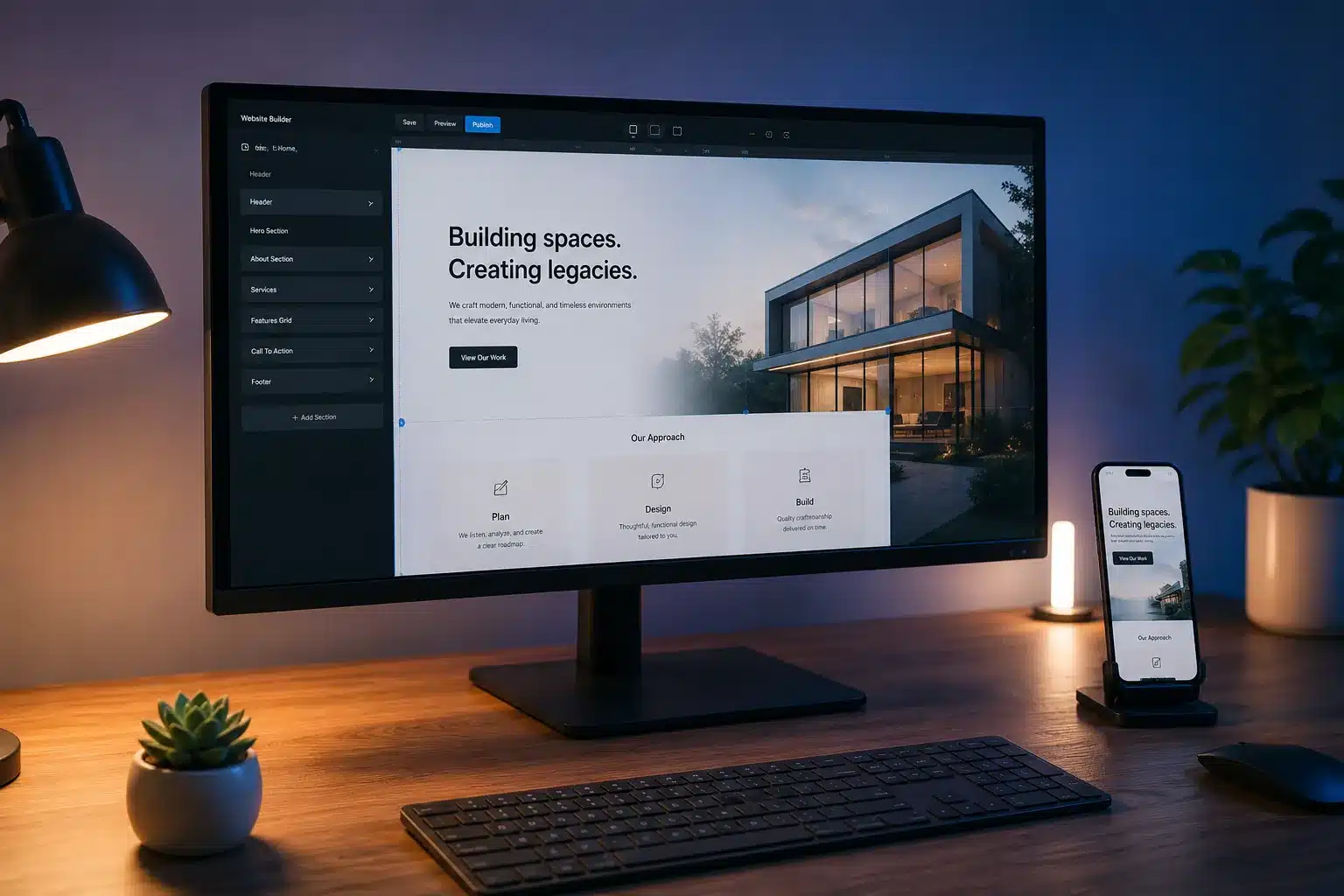
The AI website builder market has moved fast. Tools that barely existed two years ago are now some of the most popular ways to launch a website — and the ones that led the category in 2024 have been overtaken by newer, faster, more capable platforms.
This guide cuts through the hype. We tested and compared the most popular AI website builders heading into 2026 — Hostinger, Wix ADI, Dora, Framer, 10Web, and Durable — and ranked them honestly based on what actually matters: speed of generation, design quality, customization depth, hosting, and value for money.
Quick Comparison: Best AI Website Builders 2026
| Builder | Best For | AI Depth | Starting Price | Hosting Included |
| Hostinger | Non-technical users, small business | ★★★★★ | ~$2.99/mo | ✅ Yes |
| Wix ADI | Flexibility + ease of use | ★★★★☆ | $17/mo | ✅ Yes |
| Dora | Designers, immersive visuals | ★★★★☆ | $16/mo | ✅ Yes |
| Framer | Developers, design-led brands | ★★★☆☆ | $5/mo | ✅ Yes |
| 10Web | WordPress users, agencies | ★★★★☆ | $10/mo | ✅ Yes |
| Durable | Ultra-fast launch, solo founders | ★★★★☆ | $15/mo | ✅ Yes |
| Mural | Visual storytelling, creative brands | ★★★☆☆ | $12/mo | ✅ Yes |
What Makes an AI Website Builder Worth Using in 2026?
Not all AI website builders use AI in the same way. Many put “AI” in their marketing but offer nothing more than template suggestions. The builders worth considering in 2026 do at least some of the following genuinely:
- Generate a full website from a text prompt — not just suggest a template, but actually build a layout, choose colors and fonts, and populate it with relevant placeholder content
- Write content from your business description — saving you from staring at a blank page
- Adapt layouts intelligently — understanding what a law firm or a restaurant website should look like vs. a portfolio
- Provide AI-powered SEO tools — suggesting meta titles, alt text, keyword recommendations built into the editor
- Generate images — not just stock photo libraries but AI-generated images relevant to your business
The best builders do most of these. The mediocre ones do one or two and call it AI.
1. Hostinger AI Website Builder {#hostinger}
Best for: Non-technical users, small businesses, budget-conscious launches
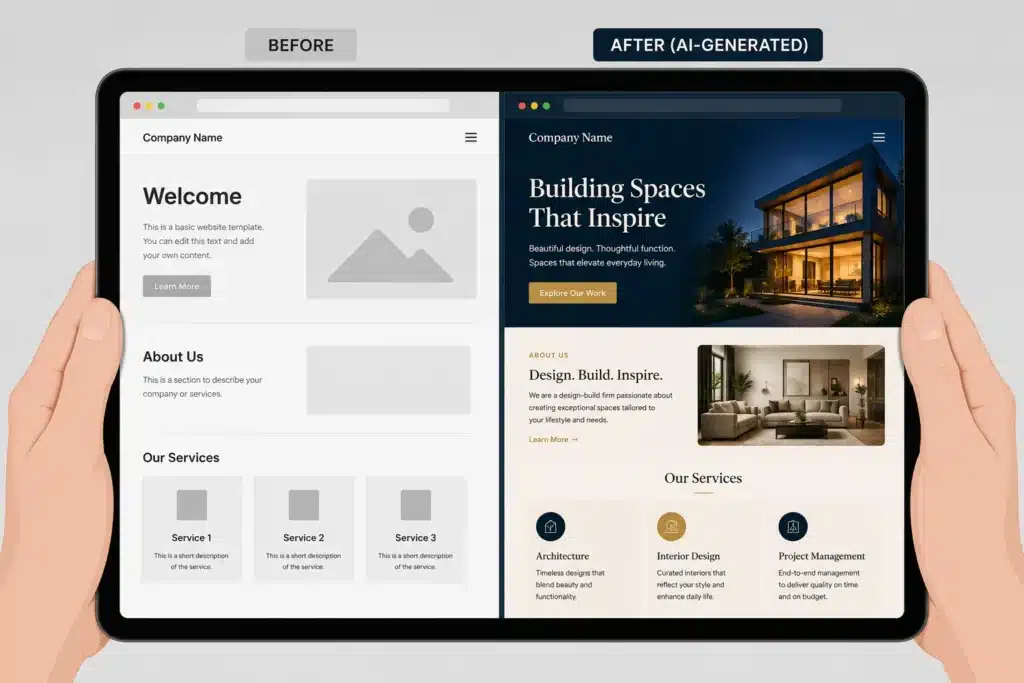
Hostinger has become the most-searched AI website builder of 2025–2026, and it’s earned that position. What sets it apart is how genuinely AI-driven the entire experience is — not just a chatbot layer on top of a traditional drag-and-drop editor, but a system that generates an entire website from a business description in under a minute.
How it works
You answer a few questions about your business — type, name, description, style preferences — and Hostinger’s AI generates a complete website: layout, sections, color palette, typography, placeholder content, and all. The output is editable, but it’s not a blank canvas. You’re refining something that already looks coherent.
Key AI features
AI Website Generator — Full site generation from a text prompt. Speed is one of Hostinger’s strongest differentiators: sites are generated in seconds, not minutes.
Kodee AI Assistant — A conversational AI built into the editor. Ask it to change the color scheme, add a section, rewrite a headline, or explain a feature. It handles requests in plain English.
AI Heatmap — Shows you where visitors are likely to focus on your page, letting you optimize layouts for engagement without needing analytics history.
AI SEO Tools — Generates meta titles and descriptions, suggests keywords, and checks your pages against SEO best practices inside the editor.
Logo Maker and AI Image Generator — Brand assets and visuals without needing a designer or a stock subscription.
What Hostinger does well
The price-to-capability ratio is the best in the category. For roughly $3/month (on a long-term plan), you get hosting, domain, AI site generation, and a capable editor. For a solo founder or small business launching their first website, this is almost certainly the right choice.
The generation speed is genuinely impressive. Most builders take 1–3 minutes to generate a site. Hostinger is faster, and the output quality is competitive with tools that charge five times as much.
Where it falls short
Design customization depth is limited compared to Framer or Dora. If you want pixel-level control, complex animations, or highly bespoke layouts, you’ll hit walls. Hostinger is built for people who want a professional result fast, not for designers who want full creative control.
E-commerce features are basic. Adequate for a small shop, not sufficient for a serious online store.
Bottom line: The best AI website builder for non-technical users who want a professional result at the lowest cost. The most popular platform in this category for good reason.
2. Wix ADI {#wix}
Best for: Users who want AI to start and flexibility to finish
Wix has been in the website builder market longer than almost anyone, and its ADI (Artificial Design Intelligence) tool has matured significantly. The key advantage Wix has over most AI builders is what happens after the AI generates your site — you can customize almost anything without restriction.
How it works
Wix ADI asks questions about your business and design preferences, then generates a complete site. From there, you have the choice to keep editing in the ADI interface (simpler, more guided) or switch to the full Wix Editor (more powerful, more complex). This dual-mode approach gives users more flexibility than most AI builders.
Key AI features
Wix ADI — Guided site generation with Q&A input. The output quality is polished and consistent.
AI Text Generator — Writes copy for pages, product descriptions, and blog posts directly in the editor.
AI Image Creator — Generates images based on prompts, integrated into the asset library.
Wix Analytics + AI Insights — Surfaces actionable recommendations based on your site’s performance data.
SEO Wiz — A step-by-step SEO setup guide with keyword suggestions and on-page recommendations.
What Wix does well
Ecosystem depth. Wix has an enormous app marketplace, built-in e-commerce, booking systems, membership tools, and hundreds of integrations. Once you outgrow the AI-generated site, you don’t need to move — you just add features.
The ADI output quality is among the best in the category. Designs feel intentional rather than templated.
Where it falls short
Pricing is higher than Hostinger, especially for business plans. The editor can feel overwhelming once you move past ADI into full customization. And Wix sites can be slower than competitors if you add too many apps and widgets.
Bottom line: The best AI website builder if you’re likely to grow into more complex needs — e-commerce, memberships, bookings — and want to do it all in one platform.
3. Dora AI {#dora}
Best for: Designers, creative agencies, brands that need to stand out visually
Dora is the most visually ambitious builder in this list. It sits at the intersection of AI generation and high-end web design, offering generative 3D interactions and advanced animations that would previously require a developer to build.
How it works
Like the others, Dora generates a site from a text prompt. What’s different is what it generates — sites with motion, depth, and interactions built in. The output looks closer to something a design agency would produce than something a website builder would generate.
Key AI features
Text to Website — Full site generation from prompt, with a strong visual emphasis.
Generative 3D Interactions — Elements that respond to cursor movement, scroll position, and user interaction. These are built in at generation time, not added manually.
Advanced AI Animation — Animated transitions, text reveals, and motion graphics without writing code.
Collaborative Editing — Multiple users can edit the same site simultaneously, making it viable for small teams.
What Dora does well
Design output quality. If you want a website that genuinely impresses visitors, Dora is the strongest generator in this category. The 3D and motion features in particular are difficult to replicate in other builders without hiring a developer.
The collaborative editing makes it a realistic option for design teams and agencies building client sites.
Where it falls short
The learning curve is steeper than Hostinger or Wix. Dora assumes some design literacy. If you don’t know what you’re looking for, the customization options can feel overwhelming.
Dora is also not the right tool for content-heavy sites (blogs, news, documentation) or serious e-commerce. It’s a visual showcase tool.
Bottom line: The best AI website builder for designers, creative agencies, and brands where visual differentiation is the priority.
4. Framer AI {#framer}
Best for: Developers, design-forward startups, product landing pages
Framer started as a prototyping tool and evolved into a full website builder with strong AI features. Its positioning is slightly different from the others — it attracts people who are comfortable with design systems and want more control over the output.
Key AI features
AI Site Generation — Generate sites from text prompts with clean, modern output.
CMS Integration — Framer has a built-in CMS that makes it practical for content-heavy sites and blogs.
Component System — Reusable design components that can be updated globally, more like a proper design system than a template.
Framer Motion — Built-in animation library with physics-based interactions that feel premium.
What Framer does well
Output quality for design-forward brands is excellent. Framer sites tend to look more considered and less generic than Wix or Hostinger outputs.
The CMS is genuinely good — better than most website builders — making Framer viable for marketing teams publishing regular content.
Where it falls short
The AI generation is less deep than Hostinger or Dura. Framer’s strength is in what you can build after the AI starts you, not the quality of the initial AI output.
Not beginner-friendly. If you’ve never worked in a design tool before, Framer has a real learning curve.
Bottom line: Best AI website builder for developers and designers who want more control and a premium output, and are comfortable investing time in learning the tool.
5. 10Web {#10web}
Best for: WordPress users, agencies, sites that need to migrate or clone existing websites
10Web occupies a unique position — it’s an AI website builder built on WordPress, meaning you get the AI-generation speed of modern builders combined with the full power and ecosystem of WordPress underneath.
Key AI features
AI Website Builder — Generate full WordPress sites from text prompts with AI-written content and AI-generated images.
AI Website Recreation — Point 10Web at any URL and it will recreate the design in your WordPress editor. Useful for redesigns or competitive research.
PageSpeed Booster — Automatic performance optimization using Google’s infrastructure. Sites built on 10Web tend to score well on Core Web Vitals.
Managed WordPress Hosting — Built on Google Cloud with 99.9% uptime guarantee. No separate hosting setup needed.
What 10Web does well
WordPress compatibility. Every plugin, theme, and integration in the WordPress ecosystem works with 10Web. You’re not locked into a proprietary platform.
The AI website recreation feature is genuinely unique — no other builder in this list can clone an existing site. For agencies doing redesigns or businesses migrating platforms, this saves significant time.
Performance is strong. 10Web’s managed hosting and automatic optimization mean you’re starting with fast sites by default.
Where it falls short
The AI generation output, while functional, isn’t as visually refined as Dora or Framer. You get a competent WordPress site, not a design showcase.
WordPress adds complexity. If you’ve never used it, 10Web simplifies the experience but doesn’t eliminate the learning curve entirely.
Bottom line: Best AI website builder for agencies, WordPress users, and anyone who needs the power of WordPress with an AI shortcut to get started.
6. Durable {#durable}
Best for: Solo founders, service businesses, speed-to-launch
Durable is built around a single premise: you can have a professional business website live in under a minute. It delivers on that promise better than almost any other tool.
Key AI features
AI Website Generator — The fastest generation in the category. Describe your business and a full website appears in roughly 30 seconds.
AI Content Regeneration — Don’t like the generated copy? Hit regenerate and get a different version. Repeat until you find something you like.
AI Business Tools — Built-in CRM, invoice generator, and client management tools. Durable is positioning itself as more than a website builder — it wants to be a small business operating system.
Google My Business Integration — Connects directly to your Google Business Profile for local SEO setup.
What Durable does well
Speed and simplicity. Nothing else in this category generates a complete, publishable website as fast as Durable. For a plumber, a personal trainer, a freelance consultant, or anyone who needs a professional web presence today without any technical complexity, Durable is unmatched.
The built-in business tools are a genuine differentiator. Having CRM and invoicing alongside the website means fewer tools to manage.
Where it falls short
Customization is the most limited of any builder in this list. What you get from generation is largely what you’re stuck with. If you want to significantly deviate from the generated design, you’ll find walls quickly.
Not appropriate for complex sites, content publishing, or anything beyond a standard small business website.
Bottom line: Best AI website builder for the fastest possible professional launch. Not for anyone who needs design control or complex functionality.
7. Mural {#mural}
Best for: Visual storytelling, creative portfolios, brand-first businesses
Mural has grown in 2025–2026 as a niche alternative for businesses that prioritize visual narrative. It’s less known than the others on this list but worth considering for the right use case.
Key AI features
AI Site Generation — Text-to-site generation with a visual storytelling emphasis. Generated layouts tend to be more editorial in feel.
AI Image Generation — Strong built-in AI image tools that produce images stylistically consistent with the site design.
Story-Driven Templates — The template system is built around narratives (brand story, portfolio journey, product story) rather than standard page types.
What Mural does well
For creative businesses — photographers, artists, brand studios, boutique agencies — Mural’s visual output has a distinctiveness that the larger builders don’t match. It feels less like a website and more like a designed publication.
Where it falls short
Smaller ecosystem, less third-party integration support, and a less mature feature set than the top builders. Better for a polished portfolio than a functional business site with forms, CRM, and e-commerce.
Bottom line: A strong choice for creative portfolios and visual-first brands. Limited for anyone who needs functional depth.

How to Choose the Right AI Website Builder in 2026
Run through this decision tree:
Need it live today, no technical skills? → Durable or Hostinger
Need flexibility to grow (e-commerce, bookings, apps)? → Wix ADI
Design is the priority, visuals need to impress? → Dora
Already on WordPress or serving agency clients? → 10Web
Developer/designer who wants control and premium output? → Framer
Creative portfolio or brand-first business? → Mural
Tightest possible budget? → Hostinger
Key Features to Compare When Evaluating AI Website Builders
Generation quality — Does the AI produce something usable, or is it generic and thin? Test it with your actual business description.
Customization depth — How much can you change after generation? Some builders let you modify everything; others are largely locked to the generated output.
Hosting and performance — Is hosting included? What’s the page speed? Poor Core Web Vitals scores hurt both UX and SEO rankings.
SEO tools — Does the builder help you optimize pages, or do you have to figure that out separately?
Pricing transparency — Many builders advertise low monthly prices that apply only to multi-year plans. Check what you actually pay month-to-month.
E-commerce — If you sell anything online, check whether the builder’s commerce features match your needs before committing.
AI depth — Is the AI doing real work (generating full layouts, writing content, suggesting improvements) or is it just template selection with a chatbot skin?
Frequently Asked Questions
Which AI website builder is most popular in 2025–2026?
By search volume and user growth data, Hostinger has become the most searched AI website builder in 2025–2026, closely followed by Wix ADI. Dora has grown rapidly in the design-focused segment.
What is the best AI website builder for non-technical users?
Hostinger and Durable are the most accessible. Both require no technical knowledge and generate professional results quickly. Hostinger offers slightly more customization depth; Durable is faster to launch.
What is the cheapest AI website builder in 2026?
Hostinger is consistently the most affordable, with plans starting around $2.99/month on long-term billing. Framer has a free tier with limitations. Most others start at $12–$17/month.
Can AI website builders rank in Google?
Yes. All the builders on this list produce sites that can rank in Google. SEO performance depends on your content, backlinks, and technical setup — not which builder you used. Hostinger and 10Web have the strongest built-in SEO tools.
Is Wix or Hostinger better in 2026?
Depends on your needs. Hostinger wins on price, AI depth, and generation speed. Wix wins on ecosystem depth, customization flexibility, and e-commerce capability. For a simple business site: Hostinger. For a growing business that will add features over time: Wix.
How does Dora compare to Framer?
Dora is stronger on visual impact and motion design; Framer is stronger on CMS, developer control, and component systems. Both are better suited to design-literate users than to beginners.
What AI website builder is best for agencies?
10Web, for the WordPress ecosystem and the AI site recreation feature. Framer is a strong second for design-led agencies.
Is there a free AI website builder in 2026?
Framer and Wix both offer free tiers with significant limitations (subdomain, branding). Durable offers a free trial. For a genuinely free published site, you’ll need to accept some constraints. For anything professional, a paid plan is worth the low monthly cost.
Conclusion
The best AI website builder in 2026 depends on what you’re building and who you are.
For most small businesses and non-technical users: Hostinger offers the best combination of AI depth, speed, hosting quality, and price.
For businesses that need room to grow: Wix ADI gives you the most flexibility.
For design-first brands and agencies: Dora or Framer will produce the best-looking results.
For WordPress shops: 10Web is the clear choice.
For the absolute fastest launch: Durable wins.
The AI website builder landscape will continue to evolve — but the core question remains the same: how much do you need the site to do, and how much do you want to be involved in building it? Match your answer to the right tool.